Grabify

Grabify is a powerful tool which is free web-based IP getting and used for shortening URL. From this tool, users can easily find someone’s location using their IP Address.
It provides users with data such as IP addresses, geolocation, device information, and more. While Grabify can be used for legitimate purposes like tracking marketing campaigns or monitoring website traffic, it can also be misused for malicious activities such as phishing or tracking individuals without their consent. Users should use Grabify responsibly and ensure that they have the necessary permissions to track and collect data from individuals who click on the links generated by the tool.
How To Use Grabify
Grabify is very simple to use and it is not so complicated as it does not require any technical knowledge or you need any master’s degree it just gives you the only knowledge you require and it is as simple as sending links to people.
You can get a link to any trending or exciting topics that you’re sure about that person would not ignore your message and will click on the link you sent.
Then go to the website of Grabify and then paste the link into the box “Enter URL or tracking code” you will see this on the homepage of the website.
Click on the “Create URL” then you will see a pop up message that requests its user’s to agree to their terms of use, then agree to it. If the URL successfully generates the users are redirected to a new page where some more information is required.

Grabify will generate a tracking page, complete with a tracking link and interface with information about each time someone has clicked or tapped on the link. When you first start, it should be empty, although some URL shorteners will use bots to preview the link you're shortening, and that data might show up.

Click on either "Click here" beside Select Domain Name or "Change domain/Make a custom link" in the New URL box, then check out the "Extension" drop-down. You can make it look like you're sharing a file rather than a referral link, which may work better to trick the target into clicking or tapping on your link.
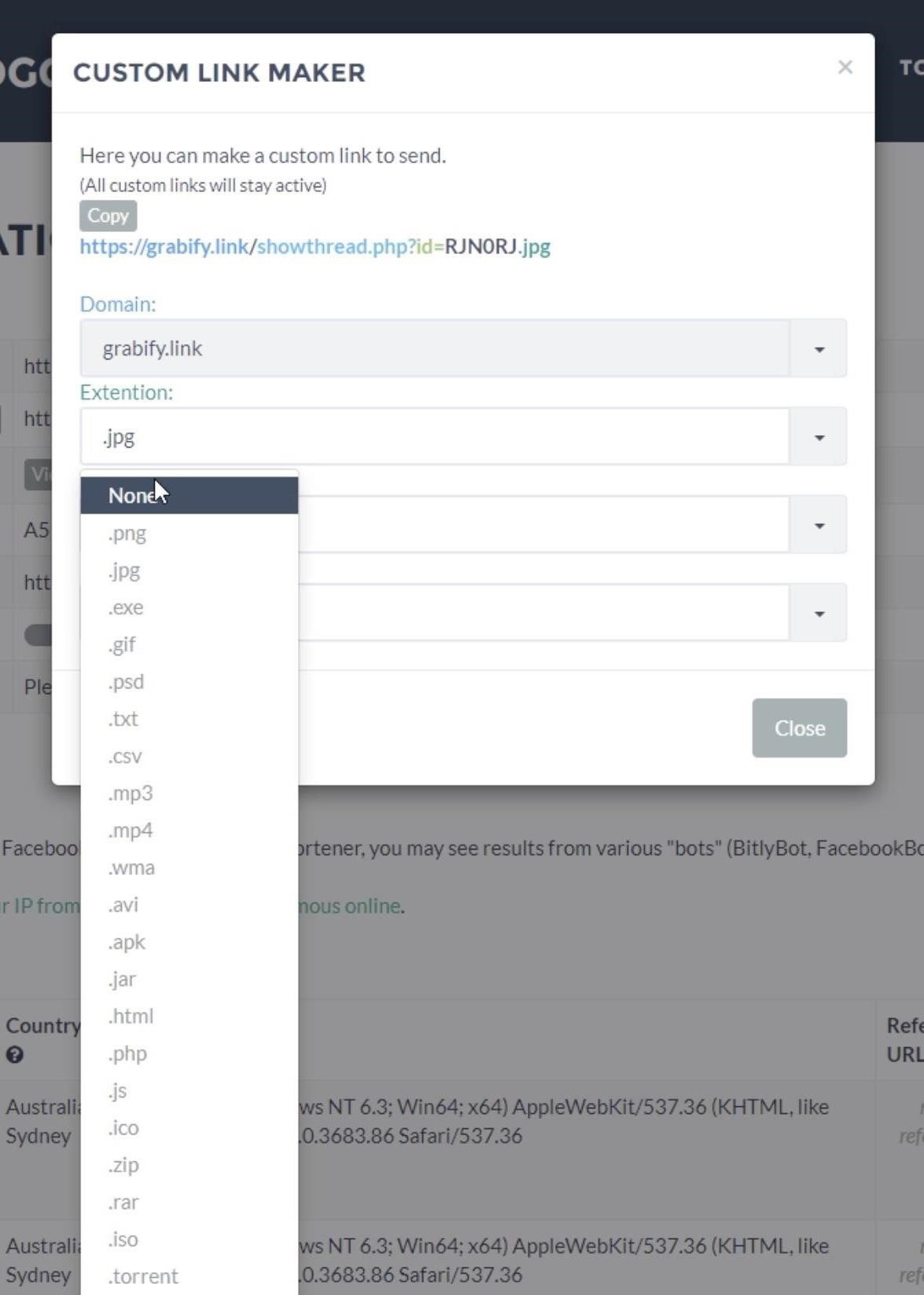
Once you generate a shortened link or a custom URL disguise, you're ready to present it to the target. Once the target clicks or taps the link, an entry will appear under the "Results" section of your log page.
You should see a detection on your management portal (you may need to refresh the page), and you can select it to view more details.
example below, I have the essentials, like the location, IP address, and information such as the internet service provider and operating system.

PURPOSE OF GRABIFY
The primary purpose of Grabify is to create shortened URLs that can track and collect information about the individuals who click on them. This can be useful for various purposes such as monitoring website traffic, tracking the effectiveness of marketing campaigns, analyzing user behavior, and more. However, it is important to use Grabify responsibly and ethically to ensure that individuals' privacy and data protection rights are respected.


